

Data Recovery Services From HDD Hard Drives & SSD Drives
Read Time:5 Minute, 30 Second
Data recovery from hard drives, including traditional HDDs (Hard Disk Drives) and newer SSDs (Solid-State Drives), is a critical service that helps recover lost or inaccessible data from failed, damaged, or corrupted storage devices. Hard drives are an integral part of data storage for personal and business use, and any failure can be distressing. However, with the right expertise and tools, data recovery is often possible, even in the most challenging scenarios.
Understanding Hard Drives and Their Vulnerabilities
Hard drives are magnetic storage devices that have been around since 1956, when IBM invented the first HDD. Over the years, their capacity, performance, and cost have evolved, making them one of the most widely used storage mediums. Today, hard drives are not only used in desktops and laptops but are also found in a variety of everyday devices, including MP3 players, camcorders, video game consoles, and home theater systems.
HDDs vs. SSDs: Key Differences
- HDDs (Hard Disk Drives): HDDs store data on spinning magnetic platters. They are mechanically driven, meaning they have moving parts like the spindle and read/write heads. While they are cost-effective and offer large storage capacities, they are more susceptible to physical damage due to their mechanical nature.
- SSDs (Solid-State Drives): Unlike HDDs, SSDs use flash memory to store data and have no moving parts. SSDs are generally faster, more durable, and less prone to mechanical failures, but they can still suffer from issues like wear-out or controller failures.
Common Causes of Hard Drive Failures
Several factors can lead to a hard drive failure, making data recovery essential:
1. Mechanical Failure
For traditional HDDs, mechanical failure is the most common reason for data loss. External factors like drops, bumps, or exposure to heat can damage the moving parts, such as the motor or the read/write head, leading to data inaccessibility.
2. Logical Failure
In cases of logical failure, the data on the drive is still intact, but the drive’s file system becomes corrupt. This can happen due to software issues, viruses, or accidental deletion. Logical failures do not physically damage the hardware but can still result in data being inaccessible.
3. Electrical Failures
Power surges or electrical failures can cause damage to the drive’s internal components, particularly in the case of SSDs. These issues often result in the drive not being detected by the computer.
4. Physical Damage
Physical damage from external forces such as water exposure, fire, or shock can destroy the delicate components inside a hard drive, making data recovery much more complex.
5. Firmware Corruption
Firmware is the software that controls how a drive operates. If the firmware becomes corrupted, it can lead to the drive being unable to communicate with the computer, rendering it unreadable.
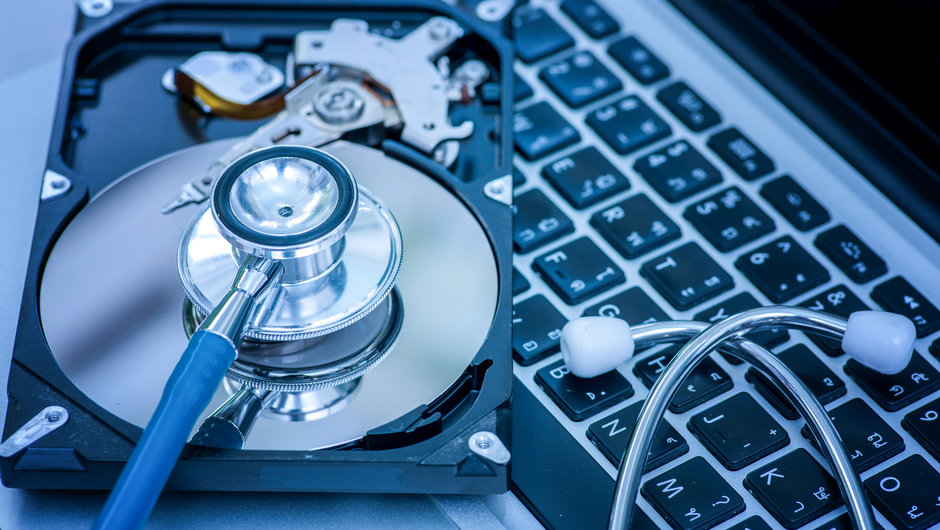
Data Recovery Process for HDD and SSD Drives
Data recovery services for both HDDs and SSDs involve specialized processes and techniques to retrieve data. Here’s an overview of how the process works:
Step 1: Diagnosis and Assessment
The first step in the recovery process is to assess the drive’s condition. A professional technician will examine the drive to determine the cause of the failure. They will check for mechanical damage, firmware corruption, logical issues, or electrical failure. Depending on the severity of the issue, the technician will decide the best course of action for recovery.
Step 2: Creating a Backup Image
Before attempting any recovery procedures, the technician will create a sector-by-sector image of the damaged drive. This backup ensures that no further data is lost during the recovery process. The image is then analyzed to identify and extract any recoverable files.
Step 3: Data Recovery
Once the image is created, the recovery process begins. If the failure is mechanical, the technician may need to replace damaged components in a clean room environment, where the risks of contamination are minimized. For logical issues or corruption, specialized software tools are used to recover lost files or repair corrupted file systems.
Step 4: File Restoration
After the data has been recovered, the files are restored to a new storage device. This device could be a new HDD or SSD, or even an external storage drive, depending on the customer’s preference.
Step 5: Final Check and Return
The final step is to ensure that the recovered data is complete and intact. The technician will provide a list of the recovered files and check that everything is in working order before returning the restored data to the customer.
How To Increase Your Chances of Successful Data Recovery
While data recovery is possible in many cases, it’s important to handle the situation carefully to maximize the chances of success:
1. Stop Using the Drive
Once you realize your hard drive has failed or is not functioning correctly, stop using it immediately. Continued use can cause further damage and overwrite the data, making recovery more difficult.
2. Avoid DIY Recovery Tools
Using generic data recovery software without professional guidance can sometimes do more harm than good. These tools may not be capable of handling severe failures or may overwrite important data. Professional data recovery services have the right tools and expertise to recover data safely.
3. Seek Professional Help
If the data is crucial, seek professional data recovery services as soon as possible. They have clean room environments, specialized equipment, and experienced technicians to handle all types of data loss scenarios.
Preventing Future Data Loss
While data recovery can help retrieve lost data, prevention is always better. Here are some tips to protect your data in the future:
- Regular Backups: Make regular backups of your important data to external drives, cloud services, or both. This will ensure that you always have a backup if your primary drive fails.
- Use Reliable Hardware: Invest in high-quality storage devices from reputable manufacturers to reduce the risk of failure.
- Protect Against Physical Damage: Handle hard drives carefully to avoid physical damage from drops, extreme temperatures, or moisture.
- Implement RAID Systems: For critical business applications, consider implementing a RAID (Redundant Array of Independent Disks) system for added protection against drive failure.
Conclusion
Data recovery services from HDD and SSD drives are essential for businesses and individuals who rely on hard drives for storing valuable information. Understanding the causes of drive failures and the recovery process can help you take the right steps when disaster strikes. By seeking professional help and following preventive measures, you can significantly reduce the risk of data loss and ensure your valuable data remains safe.
If you’re facing hard drive issues, contact a professional data recovery service today to increase your chances of successful recovery.


Happy
0 %

Sad
0 %

Excited
0 %

Sleepy
0 %

Angry
0 %

Surprise
0 %
 0
0
 0
0

