
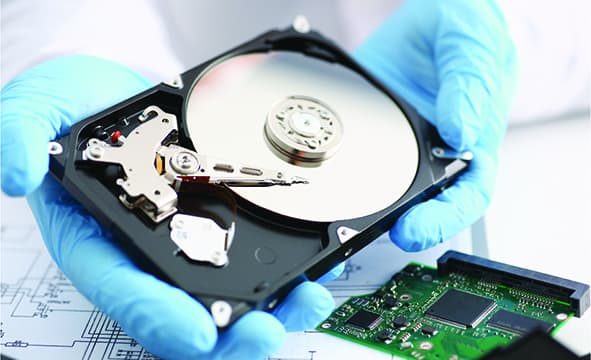
The Best Preservation And Data Recovery Of Computer Data
Read Time:4 Minute, 26 Second
In this article, we explore the common causes of data loss, offer tips on increasing the reliability of data storage, and provide guidance on what to do if your files go missing.
Why Does Data Disappear?
Despite the high reliability of modern computer systems, data loss can still occur due to various failures. These failures include hardware malfunctions, software bugs, computer viruses, and errors by users, system administrators, or technical personnel.
Through our experience in data recovery, we have found that these types of failures occur with roughly the same frequency. Understanding the causes can help prevent future losses and mitigate the impact if they do occur.
Common Causes of Data Loss
1. Hardware Failures
One of the most common reasons for data loss is hardware failure. This could involve hard drives, disk controllers, connecting cables, RAM, or the central processor. Power outages—especially when there is no uninterruptible power supply (UPS)—are also frequent causes of data loss. The severity of the data loss depends on what was happening on the computer at the time of the failure.
2. Disk Controller Failures
Disk controller failures are another leading cause of data loss. This type of failure often occurs during a write operation, which can result in errors and render the system areas of the disk inaccessible. A key example is a situation where disk controllers in file servers, such as Compaq ProLiant servers, experience hardware issues. These servers often log these failures, which allows for diagnostic checks and early warning signs.
In one case, a system repeatedly logged warnings about the possible failure of cache memory in the disk controller. Eventually, when the memory failed, several gigabytes of important data were lost. Monitoring these logs is crucial in detecting and preventing such issues.
3. Computer Viruses
Computer viruses are notorious for corrupting or deleting data. While most people are aware of the dangers posed by viruses, many neglect the basic steps to protect their systems. The first step in mitigating the risk of virus infections is to understand the possible entry points, such as floppy disks, CDs, email, or web servers.
After identifying these potential risks, it’s important to install antivirus software on all computers in your network. This software should be carefully selected based on the identified risks, and it’s crucial to follow all installation and configuration guidelines. Even small deviations can render antivirus efforts ineffective.
Additionally, antivirus software databases should be updated regularly. With new viruses emerging daily, these updates are essential to ensure that your systems are protected. In large networks, updating antivirus software across multiple servers and workstations can be time-consuming. However, modern antivirus programs offer automated updates via the internet or an intranet, making this task more manageable.
Improving Data Storage Reliability
To prevent data loss, it is essential to implement proactive measures that ensure the safety of your data. Here are some strategies:
- Regular Backups
Perform regular backups to external or cloud storage to ensure that data can be recovered in case of failure. Store backups in secure locations, such as off-site or on removable media, to protect against local disasters. - RAID Configurations
Use RAID (Redundant Array of Independent Disks) configurations to improve data redundancy and reliability. RAID 1 (mirroring) or RAID 5 (striping with parity) can protect against hardware failures by duplicating or distributing data across multiple drives. - Power Protection
Implement an uninterruptible power supply (UPS) to protect against power outages. A UPS ensures that data can be saved and systems can be shut down properly, preventing data corruption. - Monitoring and Diagnostics
Regularly monitor your disk controllers and hardware systems for signs of failure. Many systems, like the Compaq ProLiant, offer diagnostic tools that can alert you to potential issues before they cause data loss.
What to Do If Data Disappears
If you find that your files are missing, don’t panic. Follow these steps:
- Check for Simple Issues
Sometimes data loss can be due to simple errors, such as files being moved or deleted accidentally. Use file recovery software to scan for lost files. - Use Backup Data
If you’ve been following a regular backup schedule, you should have an up-to-date copy of your files ready for recovery. - Consult Data Recovery Professionals
If the data loss is due to a hardware failure or virus attack and you don’t have backups, seek professional data recovery services. Experts use specialized tools to recover data from damaged or corrupted systems.
In more complex scenarios—particularly when the data loss may be linked to unauthorized access, legal disputes, or cyber incidents—computer forensic companies can be invaluable. These specialists go beyond standard recovery, using forensic-grade tools to retrieve deleted or hidden data while maintaining strict chain-of-custody protocols. Their services are often essential in corporate environments or investigations where digital evidence must be preserved and documented for legal use.
Conclusion
While data loss can be inevitable at times, taking the right precautions can significantly reduce the risk and impact. By maintaining regular backups, using reliable antivirus software, and monitoring system performance, you can prevent many common causes of data loss. Remember that no system is foolproof, but by implementing preventive measures and knowing when to seek professional help—including from trusted computer forensic companies—you can safeguard your important data and ensure its recovery in case of emergencies.


Happy
0 %

Sad
0 %

Excited
0 %

Sleepy
0 %

Angry
0 %

Surprise
0 %
 0
0
 0
0